Apps
My apps
An onslaught of email, a pile of PDFs, one too many last-minute trips to McDonald’s. Most of these started as something that was sapping my time or not getting handled.
Are these going to set the world on fire? No. Do they have 110% product-market fit? You bet. I’m most effective when I’m interested. If it’s boring and draining, that’s yar problem, Claude.
YarMeals
LiveWeeks of fast food, because we’d never gotten around to shopping.
Automates meal planning and grocery shopping for a family of 5
How it works
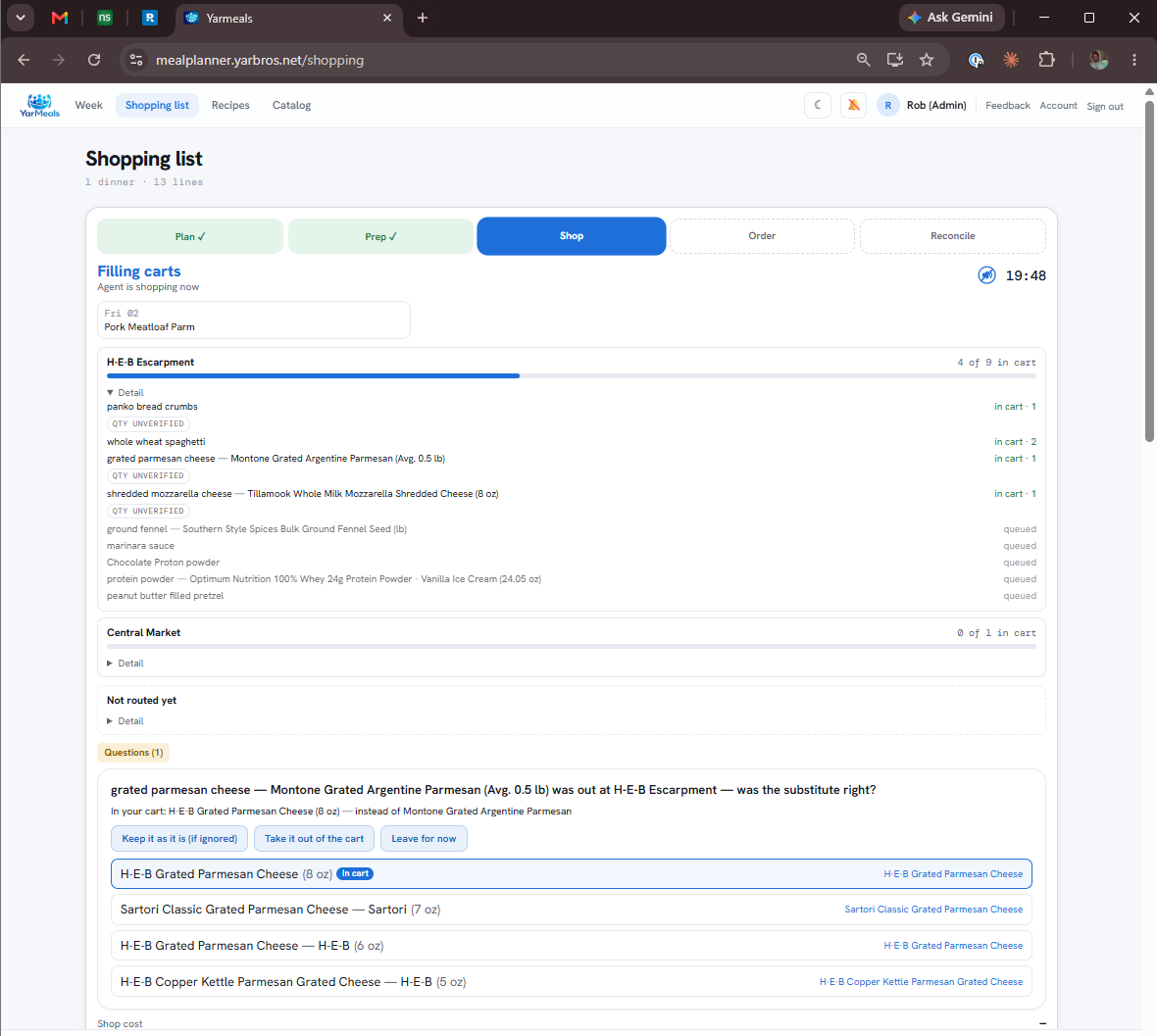
Plans the week from a rated recipe catalog, resolves every line to real products at two stores, and loads the carts. Anything ambiguous becomes a card anyone in the family can answer from their hammock in the backyard.
What broke first
It asked me forty questions per shop. The fix was not a better model — it was a catalog that remembers the answer.
 (opens a larger view)
YarDocs
Live800 files. They all say 74249826.pdf. Which is taxes and which is the kid’s sports physical?
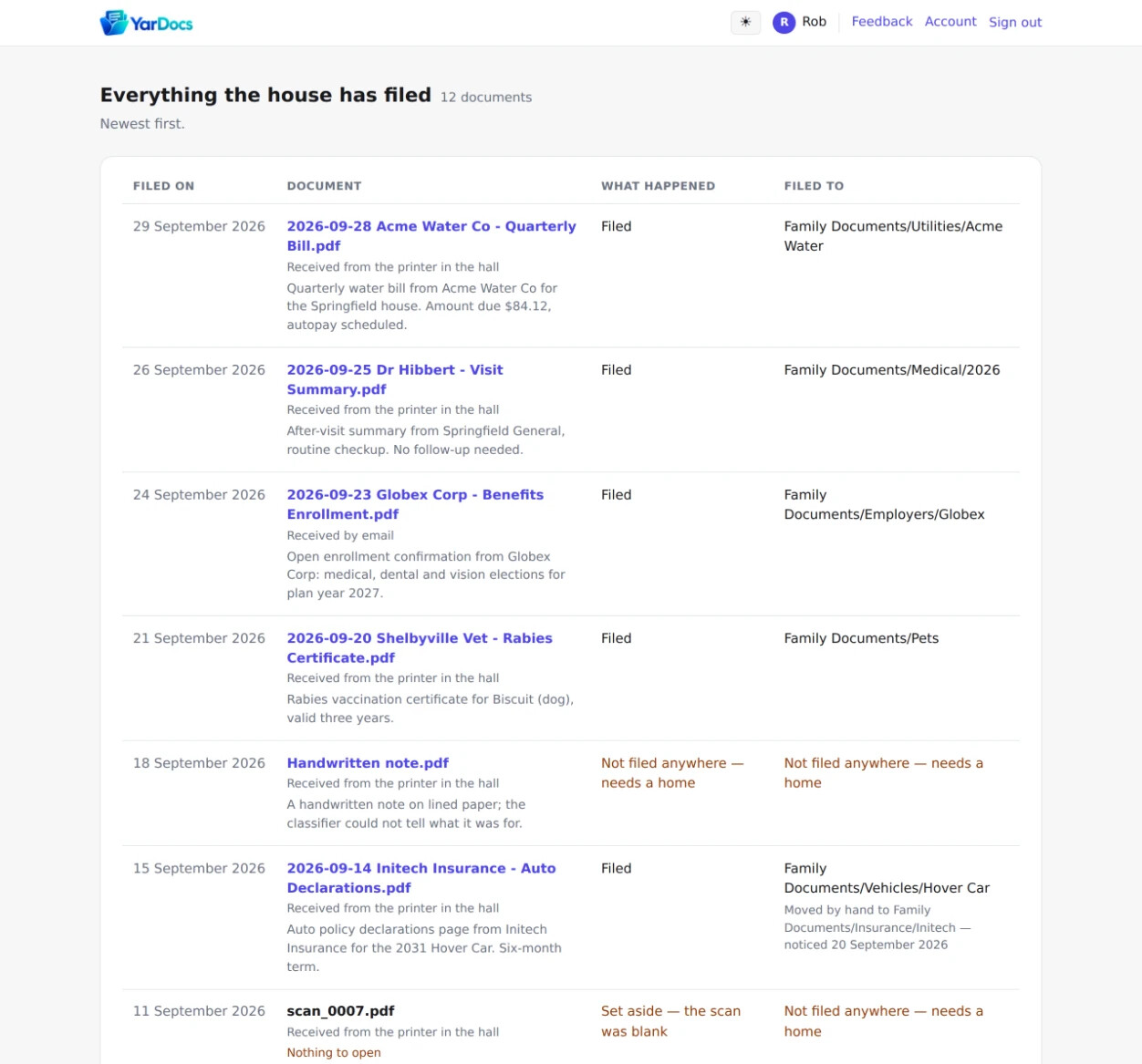
Labels, sorts, and files all the documents that come through a busy family’s week
How it works
One inbox for scans and forwards. Each document gets read, summarized, given a consistent name and dropped into the right OneDrive folder. Nothing waits on me to decide where it goes.
What broke first
$150 in API tokens before I learned what different models cost.
 (opens a larger view)
YarMail
Live3 core mailboxes. 20 years of spam and mailing lists. 1 brain who’ll read ’em all if you let him.
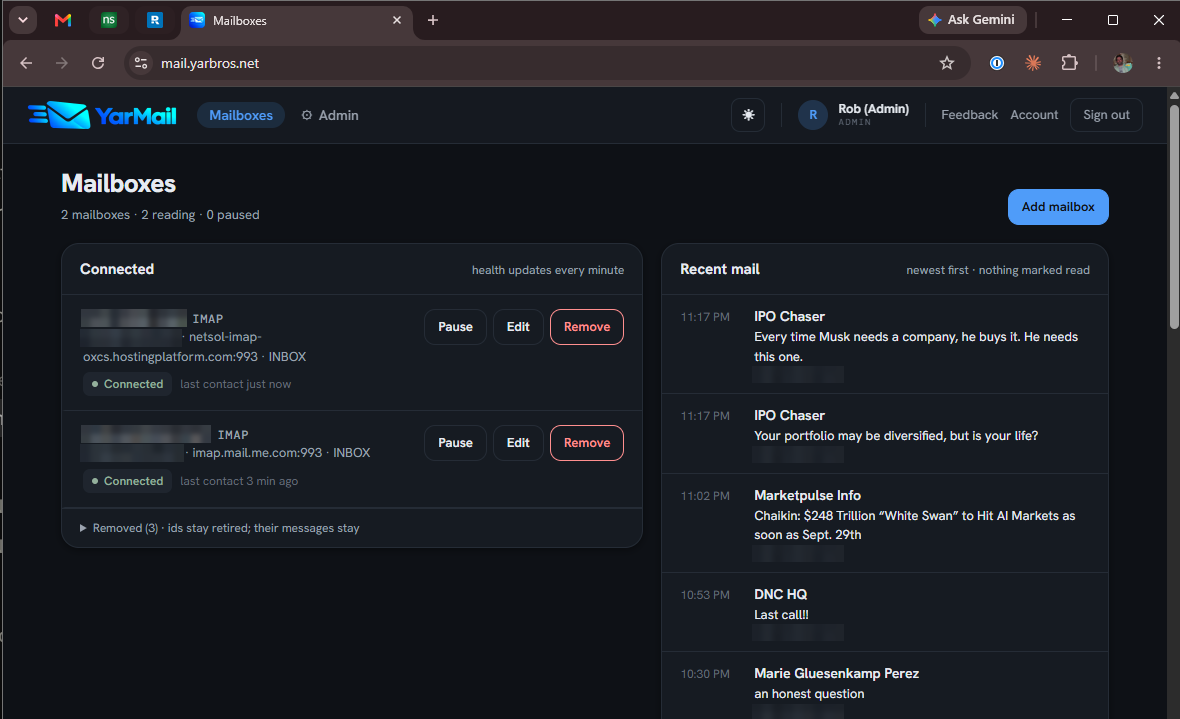
Not only filters and sorts the 1500 emails I get per week, but processes the ones that need action
How it works
AI model proposes rules in bulk for filtering, while I configure the ecosystem for actions like calendar event posting, task extraction, document filing, order tracking, receipt logging, and soon insurance claim filing.
What broke first
Rule prioritization that was failing to take tasks off my list.
 (opens a larger view)
YarJobs
BetaA husband, a son, and a buddy all not sure what to do next in their careers.
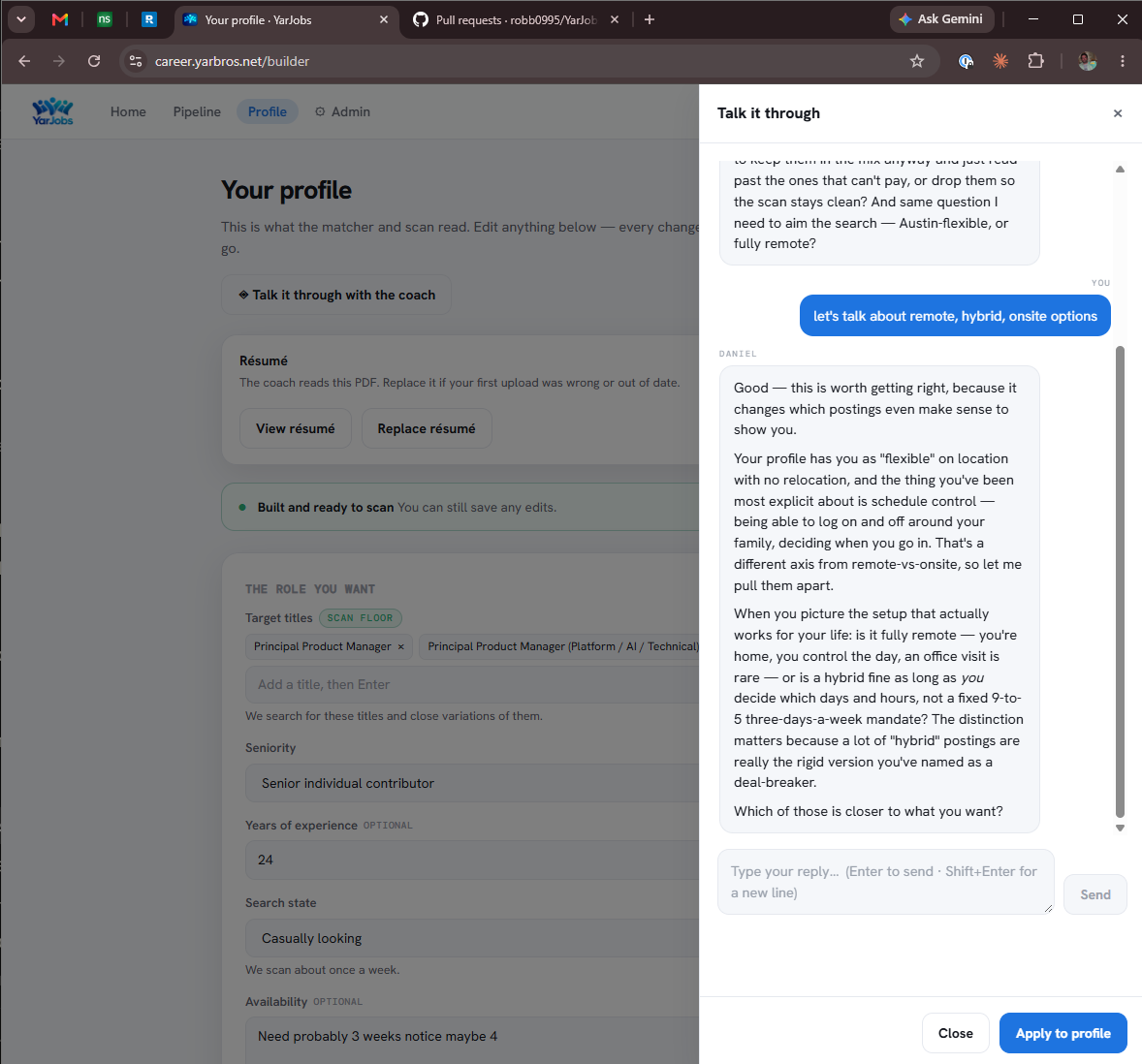
AI coach that elicits deep career motivations and ideal job profiles and then scores and tracks postings from spotted to hired
How it works
A real conversation builds someone's profile — deal-breakers, comp floor, commute geometry — and a scanning agent then works job boards against it and scores what survives.
What broke first
Vibe-coded UI left an unreadable profile that only an LLM could love.
 (opens a larger view)
YarGo
BetaA web app is something you have to remember to open.
Curated features of all the sites in a native iOS app
How it works
Sign in once and each yarbros app gets its own tab. Today that's YarMeals: anyone in the family can see the week, rate dinner, say they weren't home, ask for a recipe or a restaurant, and put cereal on the list themselves. It pings their phone when there's something to rate.
What broke first
The rating reminders demoted my kids for ignoring them, but the reminders had never reached their phones. “Didn't answer” and “never got it” are different facts, and only the first should cost you anything.
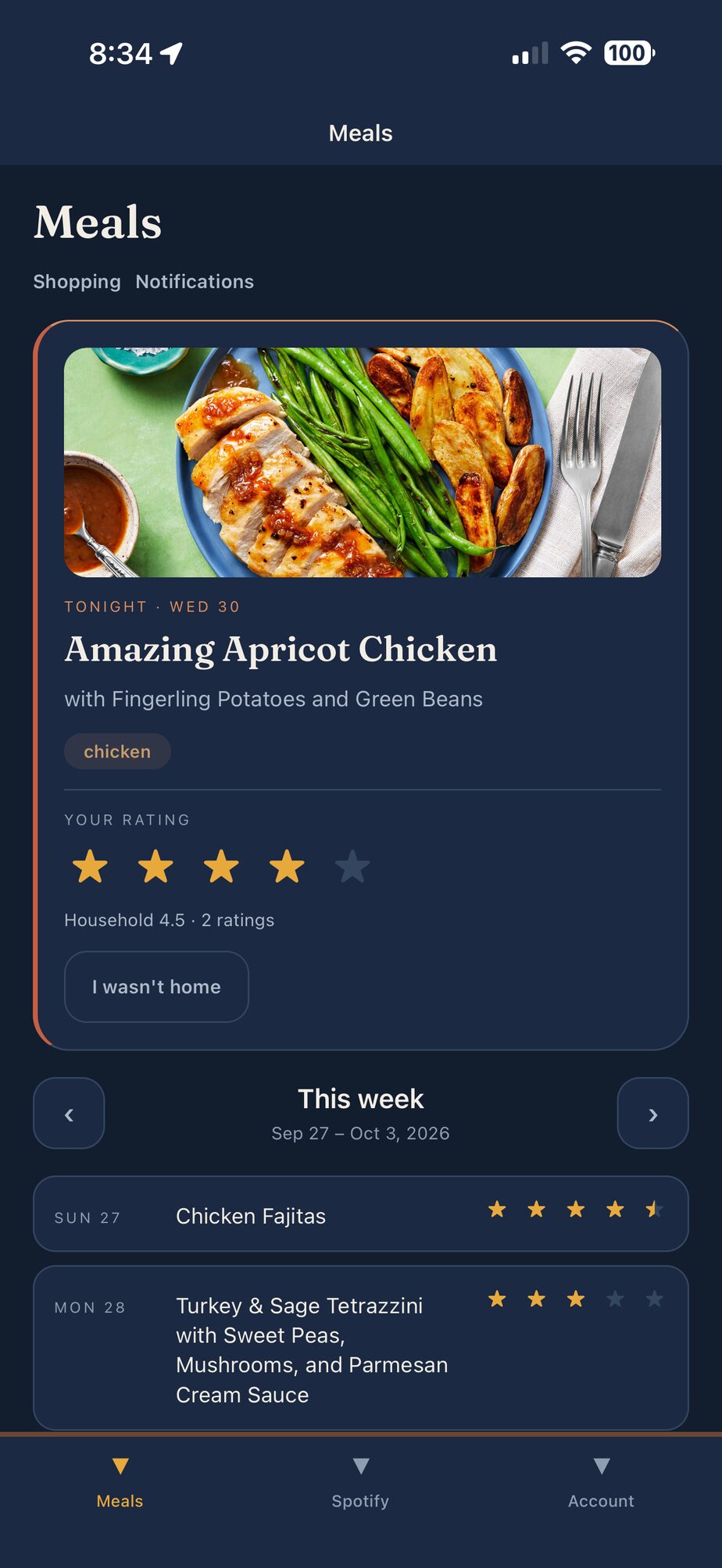 (opens a larger view)
What’s underneath?
I’m a systems thinker; none of these apps stand alone. There’s shared, integrated identity and profile admin — every app that needs a login already routes through it, with the redirect rules validated in one place so no app can get it wrong. And a shared send broker so no app holds the keys to email: apps name a template and a recipient, never an address.
Scroll sideways to see every column.
- Live
- Planned
- One app handing work to another
- Sign-in
yarauth - One login across all the apps. Identity, permissions, access rights and user administration live in one place, and every app checks against it.
- Email
yarpost - When an app needs to send email, it goes through a shared broker that controls what leaves: defined templates, a restricted vocabulary, and no app holding an address or a mail password.
- Data access
planned - One governed path in and out of the database, so an app or an AI session can ask a question without holding the keys.
- Data
Supabase - One database, walled off into a section per app, each reached through access scoped to that app alone. Every app has a staging twin for testing.
- CI/CD shared workflows
yarbros-ci - Every repo calls the same pipeline, with shared workflows for migrations, the testing layers and security policy validation. Changes go to staging first, then production when I promote them.
- Build activity
yarbros-services - Counts commits and pull requests across every repo each hour and serves the totals to this site. Uptime checks on every app are next.